Weather, health and your home at a glance.
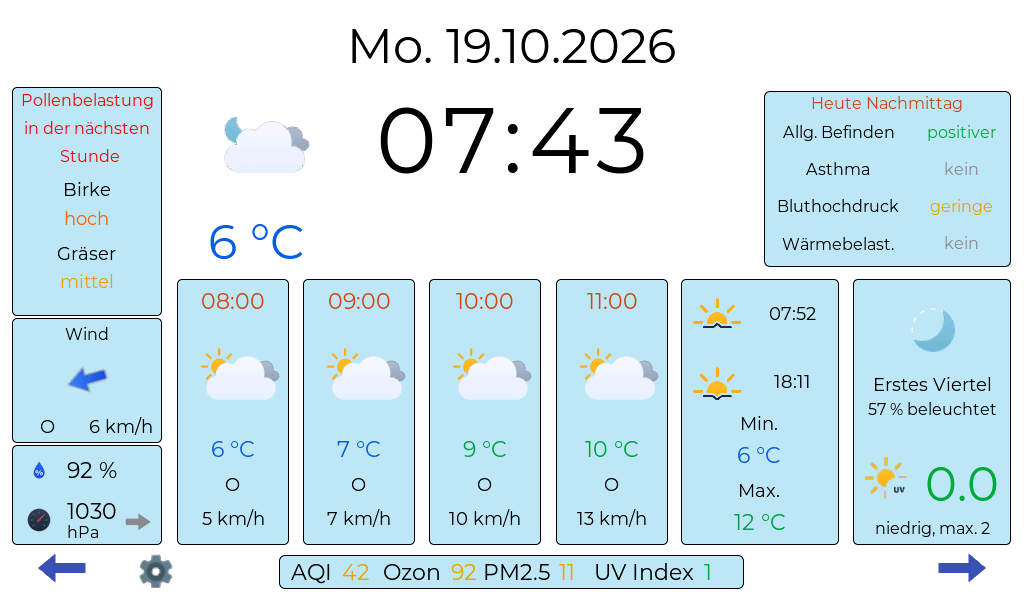
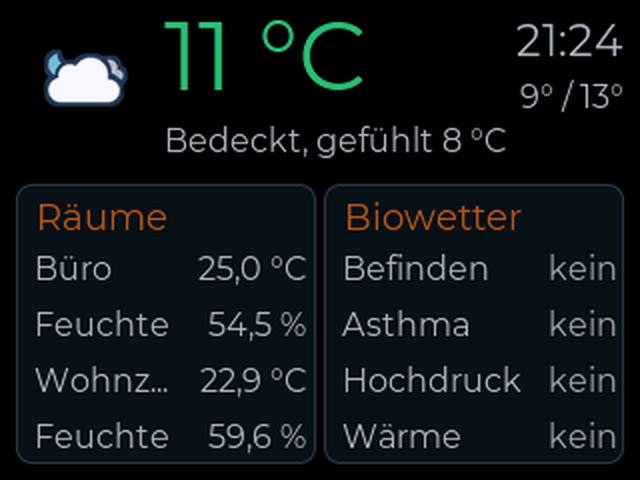
WetterCube is software for self-built weather displays. It shows not only the temperature but also how the weather affects you: pollen, bio-weather, warnings, air quality and the sensors in your house.
no account no ads no API key open source
Why I do this
From a hobby project to a product family
WetterCube is a private hobby project: software for affordable weather displays that show weather, allergy information and weather sensitivity at a glance. You build the device yourself: you buy an ESP32 board and flash the firmware. With WetterCube and WetterCubePlus a display is also wired and soldered; with Fusion and Next the display is already on the board.
I also do this for myself: I am weather-sensitive and wanted the important information in one central place, tailored to me: my allergens, my bio-weather and the sensors in my home.
It all started with the WetterCube: a small Wi-Fi weather display with an ESP32-C3 and a 1.54-inch colour display, my first own hardware project, built and programmed with AI support. While tinkering I noticed what the ESP32 can do, and a toy became an ambitious project step by step.
The WetterCubePlus brought a 3.5-inch touch display, DWD severe-weather warnings, pollen forecast, rain radar, bio-weather and a web interface for settings. Behind it works an ESP32-S3 with much more power and memory than the ESP32-C3 of the first cube. Currently I am developing the WetterCube Fusion with a 7-inch display on the powerful ESP32-P4, which extends the family with environment sensors and smart-home connectivity.
The idea
Weather and health on an affordable display
A small, affordable display should not only show the temperature but also how the weather affects you.
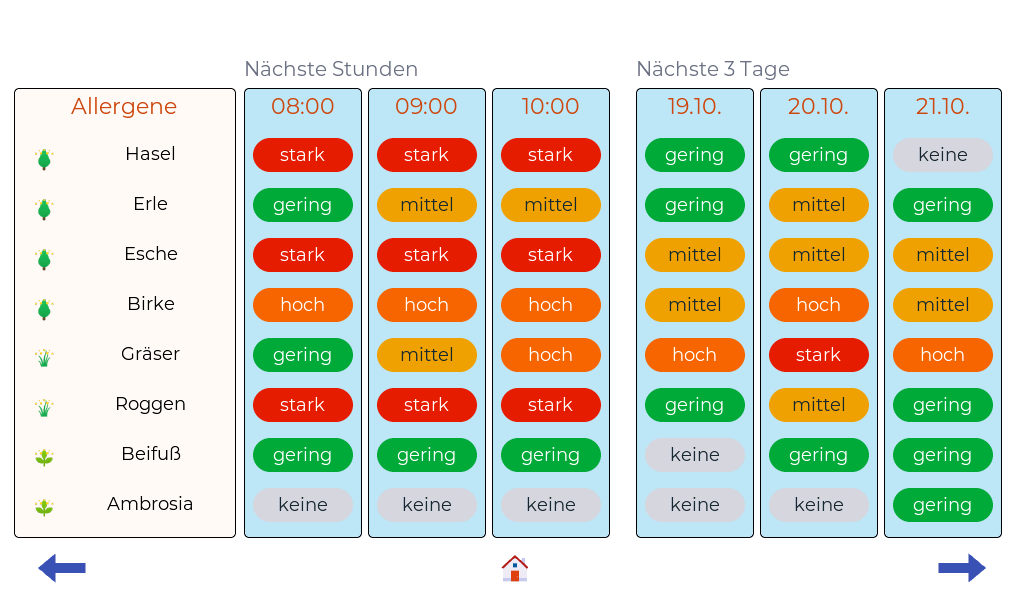
- Allergy sufferers see the current pollen forecast and the 3-day outlook (DWD) and are warned at high levels, matched to their own allergens.
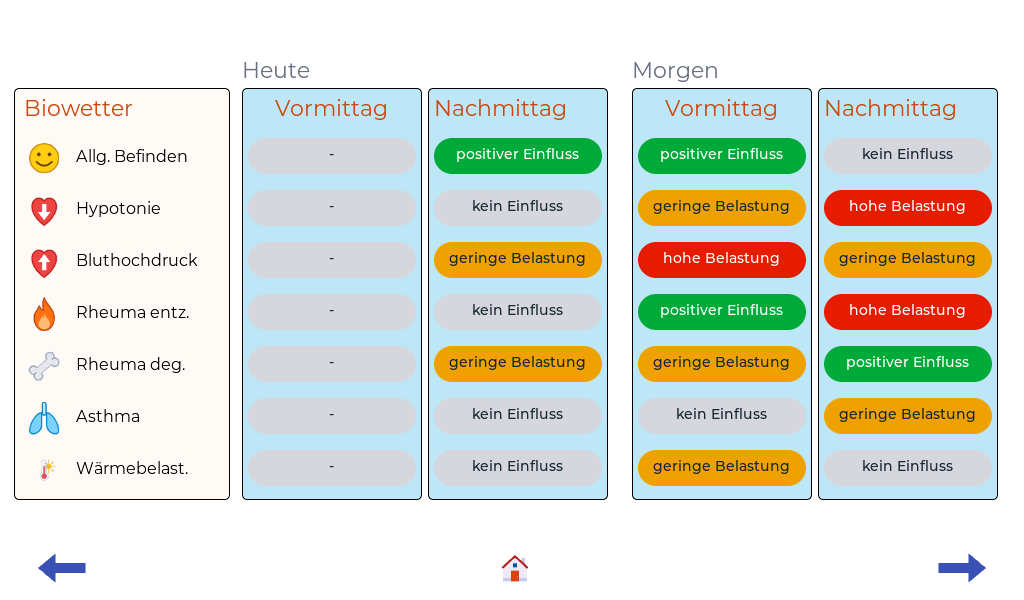
- Weather-sensitive people get the DWD bio-weather: influence on general well-being, blood pressure, rheumatism and asthma as well as heat stress.
- Everyone else benefits from DWD weather warnings, rain radar, air quality, UV index and hints about rain, frost and sun protection.
Weather data comes for free from Open-Meteo and the German Weather Service, no API key needed. Everything is set up conveniently in the browser, firmware updates run over Wi-Fi.
Local instead of cloud: The web interfaces run on the devices themselves and are only reachable on the local Wi-Fi. That is deliberate; there is no cloud requirement. Google does not need to know how warm it is in my bedroom right now.
The family
Five cubes, one idea
Language and region: The WetterCube project is currently only available in German. Because the weather data for warnings, pollen forecast and bio-weather comes from the German Weather Service (DWD), it currently only works completely in Germany. A translation into English and weather information usable worldwide are planned, but there is no fixed date yet.
In development: Fusion and Next are still in development (alpha). Errors can occur with the current versions.
WetterCube Fusion
The next step: weather meets room climate
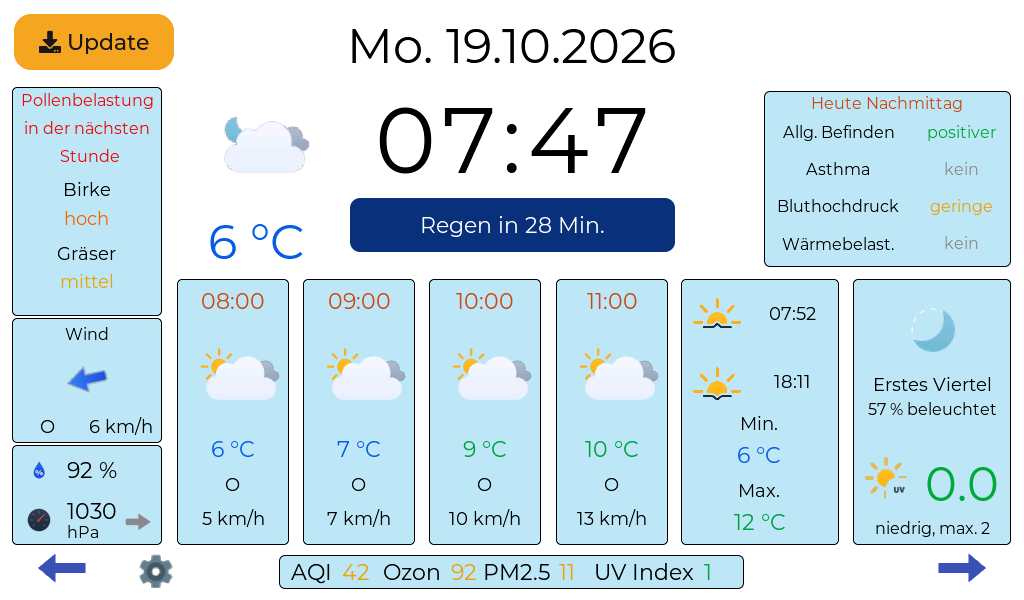
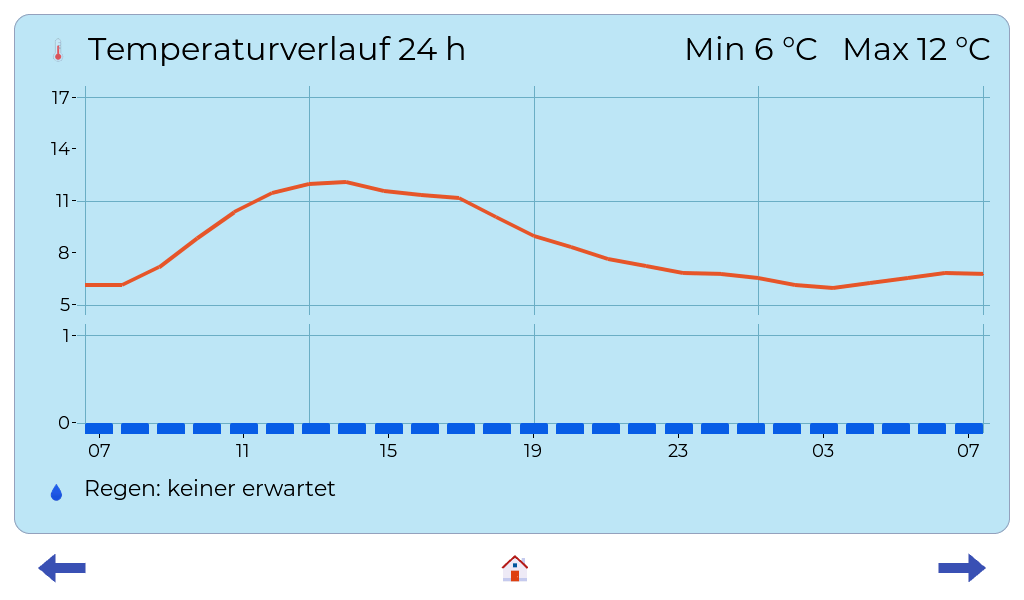
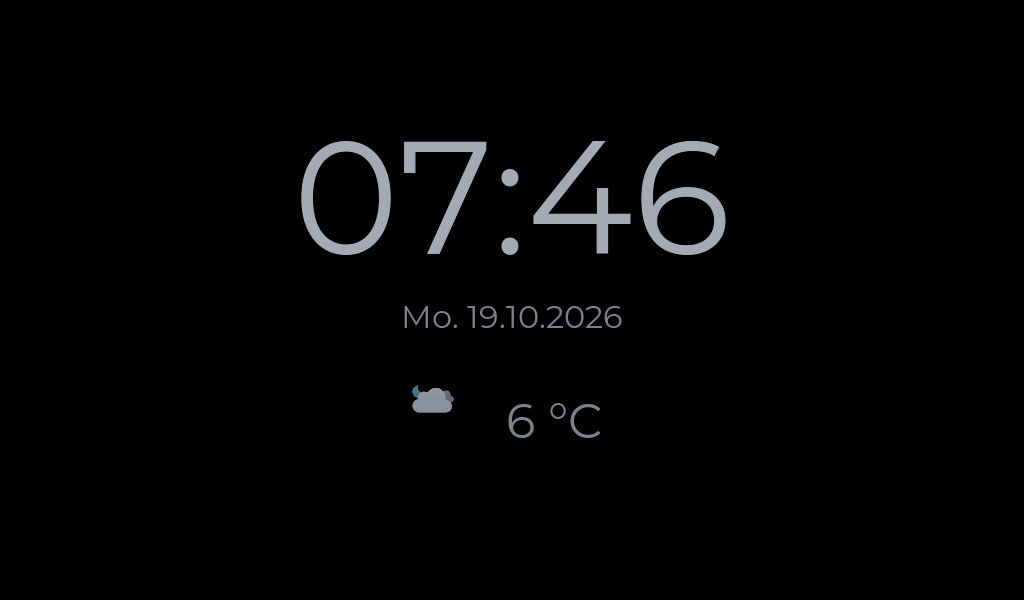
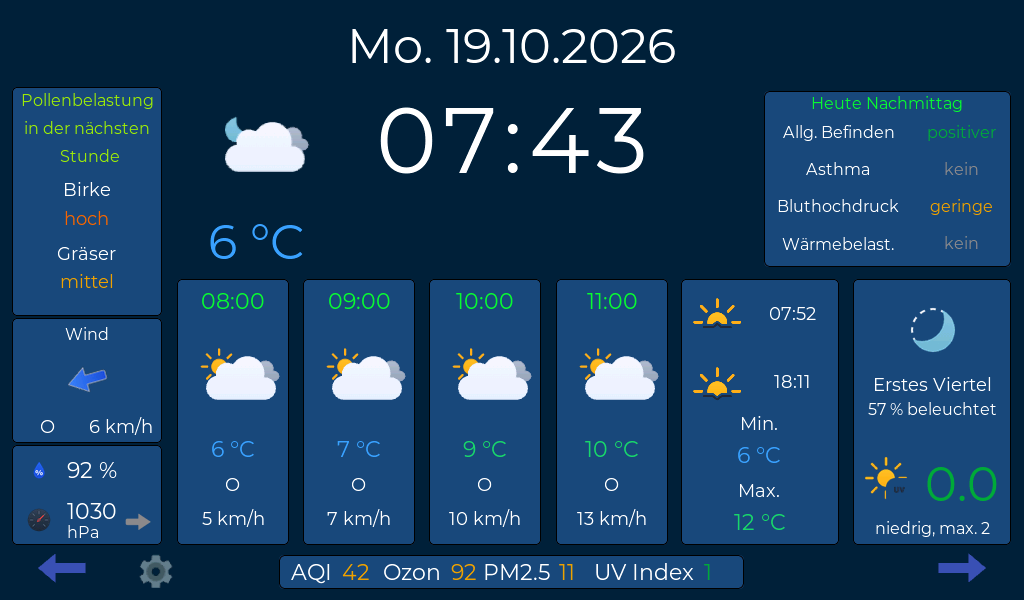
The Fusion goes beyond plain weather and brings room climate into play. It is bigger, faster and better, using a 7-inch touch display and the powerful ESP32-P4 that can drive large displays directly. The software is pure ESP-IDF, Wi-Fi is handled by an additional ESP32-C6 on the board.
🌿
Everything in one place
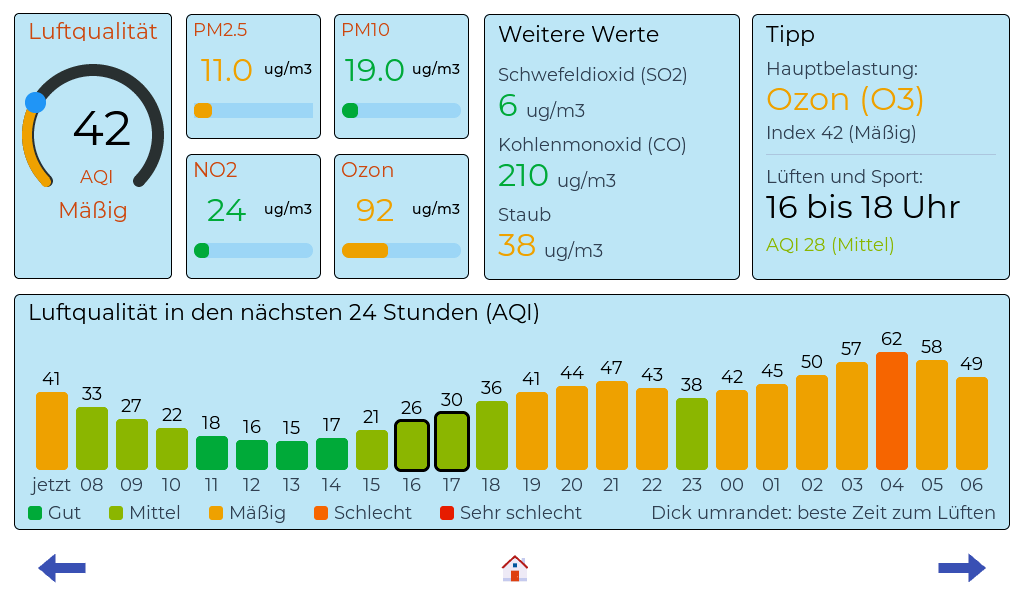
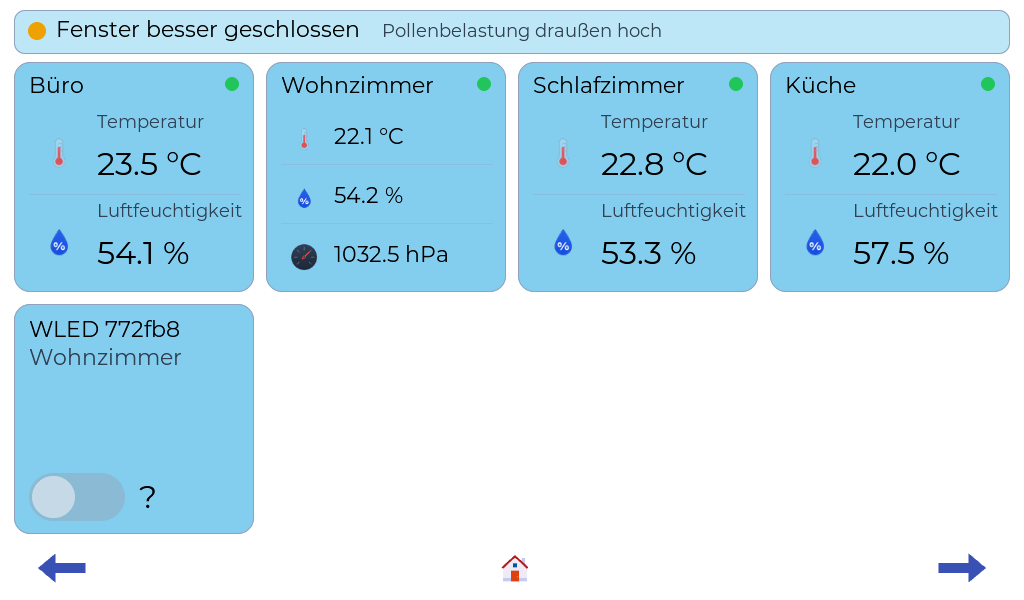
DWD bio-weather, pollen for your own allergens, air quality and the values of the sensors in your house come together on one screen, without switching between apps.
🏠
Outside and inside linked
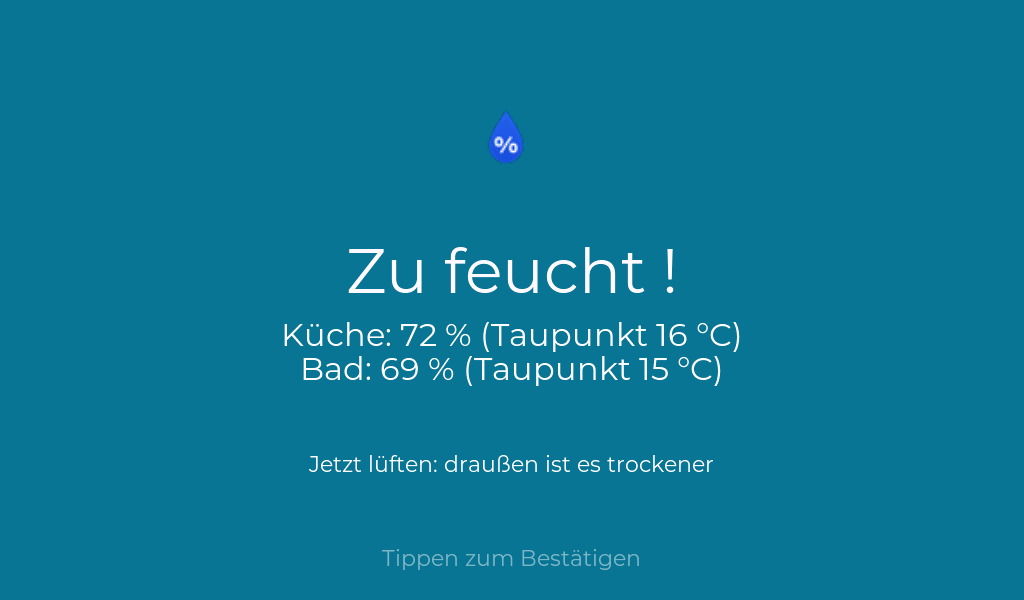
A weather app does not know your room climate. The Fusion compares room air and outside air and shows when airing makes sense, with dew point, mould hint and cooling ventilation in summer.
🔔
Your own limits
You set limits per sensor. If one is exceeded, you get an alarm on the display and a message on your phone, so the phone only speaks up when it is really needed.
🔌
Fits your smart home
Sensors you already have at home via MQTT or ESPHome can be integrated. Home Assistant finds the Fusion by itself, plus there are switch tiles.
🌙
Calm and just there
No app to open, no unlocking, no flood of notifications. Hints appear by themselves, and during adjustable quiet hours the display stays silent about warnings.
🔒
Your data belongs to you
No account, no ads, no API key. History and logs stay on the device, on your own memory card if you like.
WetterCube Next
A display for every room
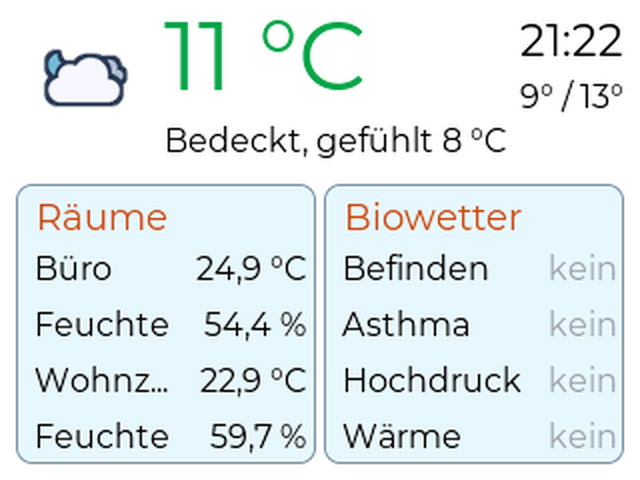
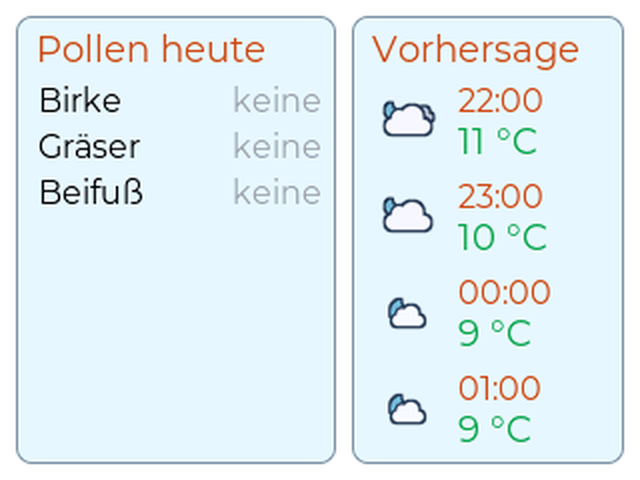
In parallel with the Fusion the WetterCube Next is being developed: an additional module that complements the Fusion and is developed in step with it. It is a small satellite display (ESP32 CYD, 2.8 inch, 320×240) that shows data from the Fusion, so every room gets its own display, for example temperature and bio-weather in the office, allergens and forecast in the bedroom.
No MQTT required: Next needs no MQTT broker, no Home Assistant and no cloud. It finds the Fusion on the home network by itself and asks every 30 seconds. At night it switches the display off or dims it dark.
Roadmap
There is more to come
The project is not finished but keeps growing. More features will be added in future updates.
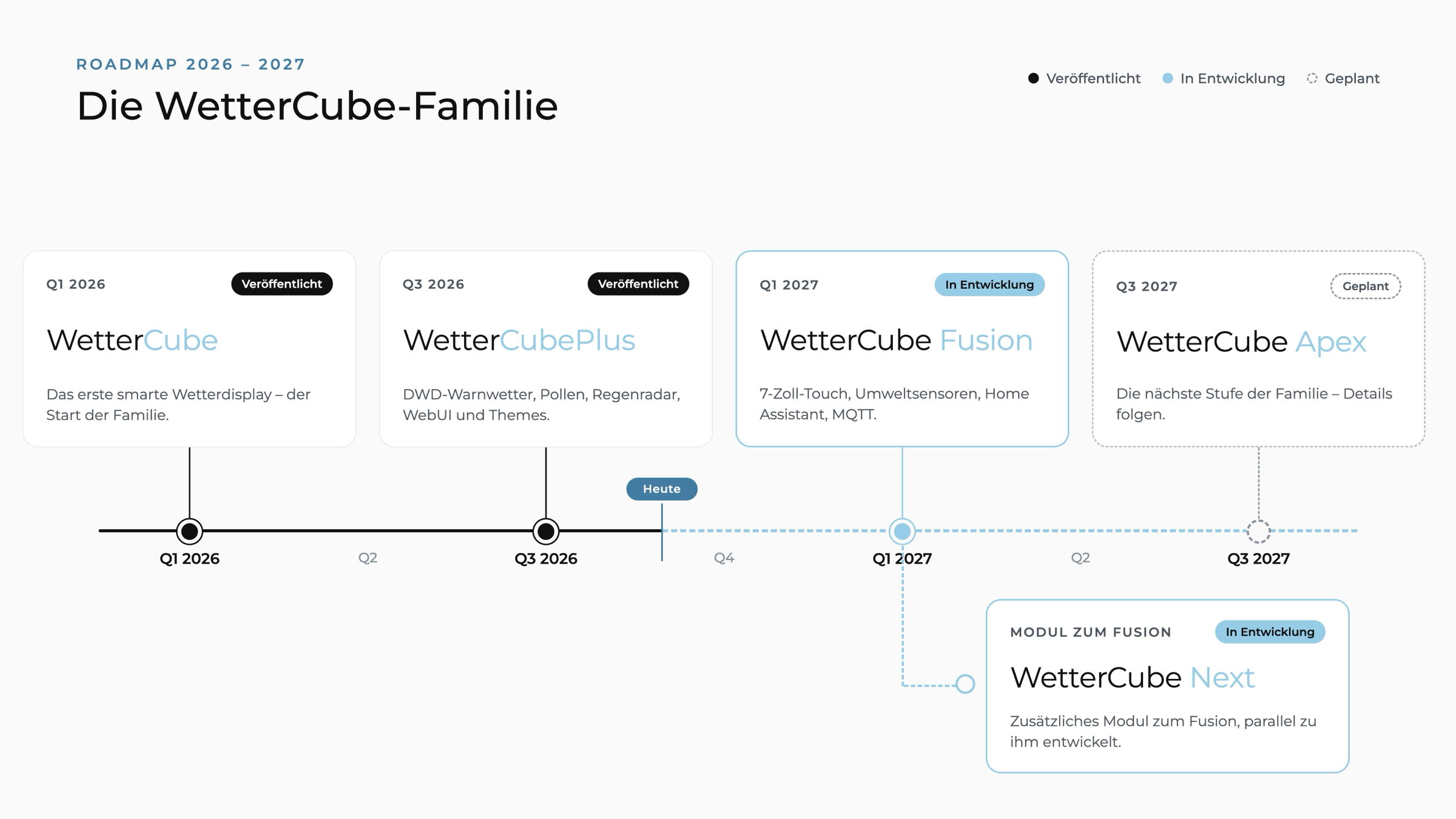
Q1 2026: WetterCube – released
Q3 2026: WetterCubePlus – released
Q1 2027: WetterCube Fusion – in development, in parallel the additional module WetterCube Next
Q3 2027: WetterCube Apex – planned, goes one step further; more during 2027
You can also find the current roadmap in the GitHub project of the WetterCube Fusion.
Hardware
Which board do I need?
WetterCube is software: you build the device yourself. Every cube runs on a standard board. Fusion and Next only need a ready-made board with display, touch and processor in one, no soldering. You design or print the case yourself; for the Fusion a matching case is in the works, and a free 3D-print file will follow here later.
WetterCube Fusion
Waveshare ESP32-S3-Touch-LCD-7B (7", 1024×600), later ESP32-P4-WIFI6-Touch-LCD-7B
WetterCube Next
ESP32 CYD "Cheap Yellow Display" ESP32-2432S028 (2.8", 320×240)
WetterCubePlus
ESP32-S3 N16R8 with 3.5" ILI9488 display and XPT2046 touch
WetterCube
ESP32-C3 Super Mini with 1.54" ST7789 display and TTP223 touch button
Install
Get started right away, without the detour via GitHub
Connect the board via USB, click the button in Chrome or Edge, done. The web installer flashes the firmware; after that everything works over Wi-Fi.
All installation notes are on the page Install.
Updates and responsibility
Maintenance, support and responsibility
Updates and maintenance: The WetterCube Fusion is the current spearhead, this is where development goes; the Next is developed in parallel. The WetterCubePlus continues to receive updates, including new features as far as the device allows. The WetterCube only gets security updates when they are necessary.
At your own risk: You use the software and the guides on your own responsibility; I accept no liability for damage or consequences. You should roughly know what you are doing: flashing a board, setting up Wi-Fi and, with WetterCube and WetterCubePlus, crimping cables and soldering. If anything is unclear, please ask first; I am glad to help through the contact form or on GitHub (issues).
When flashing, you can usually not break much on an ESP32: the board can be flashed again at any time. Real damage is more likely to come from wrong wiring or a wrong voltage.
Weather data, warnings, pollen forecast and bio-weather are for information only. They can be incomplete or delayed and replace neither official warnings (for example NINA or the DWD WarnWetter app) nor medical advice. Do not use devices you switch through the Fusion for safety-critical purposes.
Open source, free to use
My promise
WetterCube is an ambitious hobby project that I like to share. The source code is open and use is free. My promise: private use of all WetterCubes, that is WetterCube, WetterCubePlus, Fusion and Next, stays free in the future. Nobody should experience that the software they use privately suddenly becomes paid or commercial.
- WetterCubePlus, Fusion and Next: Open source under the Apache License 2.0. You can view, use, modify and share the source code, also commercially. The name and logos are excluded.
- WetterCube: Open source under the MIT licence. Texts and images of all projects are under CC BY-NC 4.0.
- Contributing: issues and pull requests on GitHub are welcome; for commissioned projects or questions please get in touch. The free weather interface of Open-Meteo is meant for non-commercial use only; anyone using it commercially needs a licence from them.